Telegram
Telegram notes bot
Do you send things to your Saved Messages in Telegram and then never find them again? Send or forward a message to the FixNote bot and it becomes a note in the app, whether it is text, a voice message or a photo.
Plan: Pro
The problem
Ideas come on the go, and Telegram is the app that happens to be open. Saved Messages pile up by the hundred, a week later the one you need is lost, and voice messages have to be replayed in full.
How it works
- 1
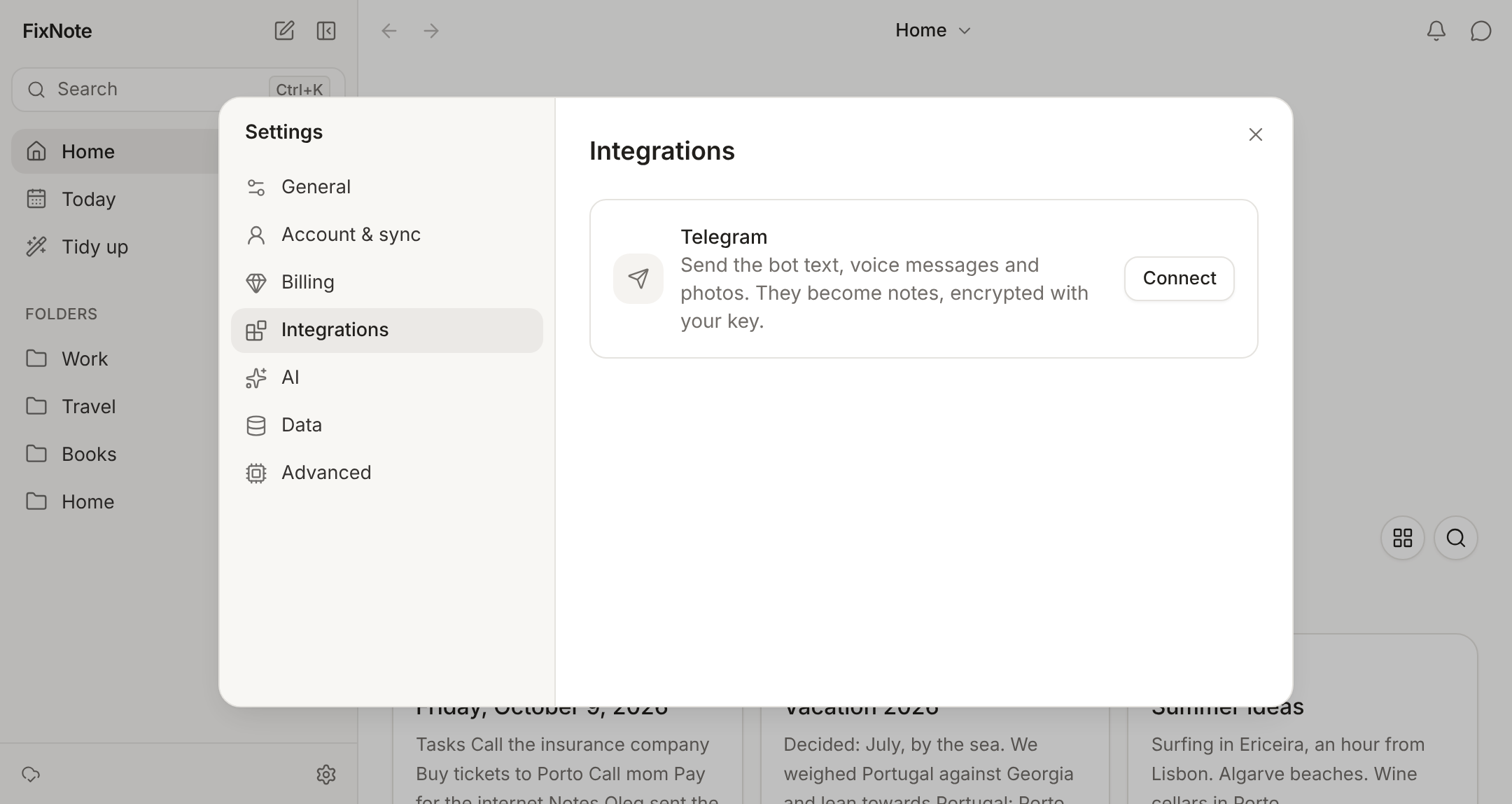
Connect the bot. In Settings → Integrations → Telegram, click "Connect", then press Start in the Telegram chat that opens. The link with the code is valid for 15 minutes.
- 2
Send and forward. The bot takes text, voice messages, audio and photos up to 10 MB. A forwarded message keeps its author in the note, and a post from a public channel keeps a link back to it.
- 3
Open FixNote. Messages become notes when the app syncs. Voice messages are transcribed on your device, and the audio stays in the note as an attachment.
How to connect the bot
Sign in with a Pro account and open Settings → Integrations → Telegram. Click “Connect”: Telegram opens with the bot, and there you press Start. Settings then show “Connected” with the name of your chat. The link works once and for 15 minutes; if it runs out, click “Connect” again.
Next to it is a switch, “Messages go to today’s note”. With it on, everything you send is added to today’s note. With it off, each message becomes its own note outside any folder, and you can sort them later, for example with Tidy up.
Links hidden behind words in forwarded posts stay links. A photo’s caption becomes the text of the note, and a link on a line of its own turns into a card with the page title.
When it helps
You are reading a channel and want to keep a post. Forward it to the bot, and the note has the text and a link to the original. On the road it is easier to record a voice message than to type, and FixNote turns it into text on your computer or in the browser. A photo of a receipt or a business card goes the same way, and search later finds it by the text in the image.
With “Messages go to today’s note” on, everything you sent from your phone during the day collects in one note, ready to sort out in the evening at your desk.
When another tool is better
For a scratch note you only need for a couple of hours, Telegram’s Saved Messages is simpler: it is free and already there. The FixNote bot does not show notes back and does not accept documents, so a PDF is better dropped into a note on your computer. In “Only on this device” mode the bot is off, because it works through our server.
Privacy notes
The bot seals each message with your account's public key right away, and only your app can open it. The server holds the sealed message until the app picks it up, then deletes it. Telegram itself sees your chat with the bot, like any other chat there. Read the privacy policy.
Questions
- Can I use the bot on the Free plan?
- No. The bot is part of Pro, because messages go through our server. On Free the bot replies that saving from messengers is part of Pro.
- Can I add the bot to a group?
- No. It only takes messages in a private chat, so other people's messages never end up in your notes.
- Can I send the bot a PDF or another document?
- Not yet. The bot takes text, voice messages, audio and photos. It turns down files over 10 MB and tells you so.
- Can I read my notes through the bot?
- No, the bot only takes messages in. Search and questions happen in the app.
- How do I disconnect the bot?
- Send it /stop, or click "Disconnect" in Settings → Integrations → Telegram.
Try FixNote
Free, no account needed: Windows, macOS and the web.