Calls
Bot-free meeting notes and call summaries
How do you come out of a Zoom or Telegram call with a short summary instead of a recording you will never replay? FixNote listens to you and the other side, transcribes on your computer and saves a note with decisions and tasks.
Plan: Free and Pro
The problem
During a call there is no time to take notes, and afterwards the details of what was agreed fade quickly. Nobody wants to replay an hour of audio to find one sentence.
How it works
- 1
Start recording. Click the arrow next to "Voice note" and choose "Call summary". You can also start from the tray icon on Windows or the menu bar on a Mac.
- 2
Talk as usual. FixNote records your microphone ("Me") and what your computer plays ("Others"). Speech is transcribed on your computer while the call goes on, piece by piece between pauses.
- 3
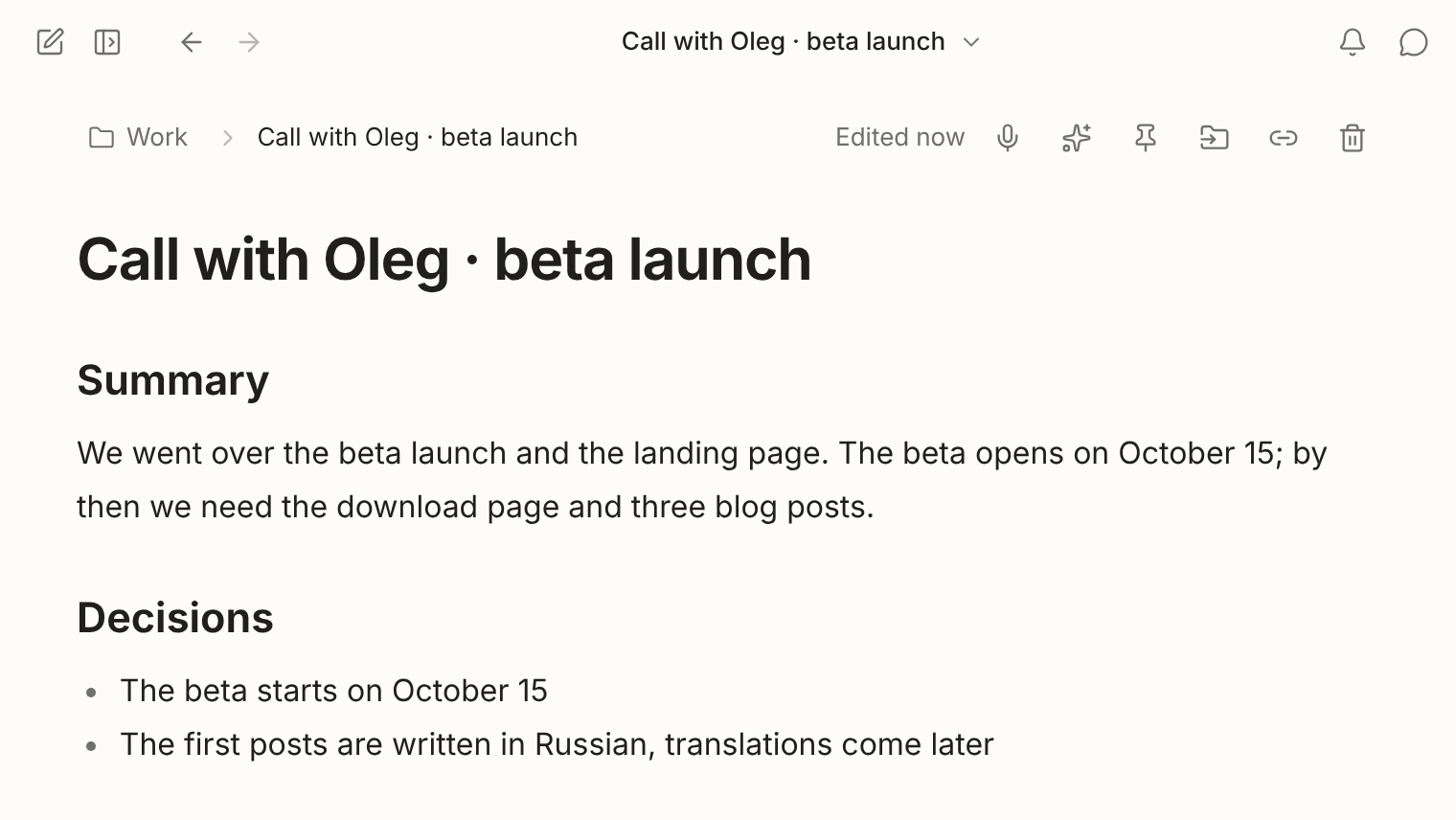
Click "Finish". The last piece is transcribed and a language model writes the Summary, Decisions and Tasks sections. The full transcript sits below them, folded.
How to record a call
Open FixNote on your computer before the call starts. Next to the “Voice note” button there is an arrow, “More ways to record”; choose “Call summary” in its menu. You don’t need to keep the window open: the tray icon on Windows and the menu bar icon on a Mac have “Record a call” and “Finish the call”.
When recording starts, FixNote reminds you to tell the others. Wear headphones if you can. Without them your microphone hears the speakers, and the other side’s words can end up in the transcript twice. FixNote drops such echoes itself, but with headphones they hardly happen.
Pick the model for summaries in Settings → AI: FixNote AI, your own key or Ollama. Speech is recognized by the same Whisper model as voice notes, which you can change in Settings → Advanced. The summary is written in the language the call was held in.
When it helps
After a weekly team call, tasks are already checkboxes, and when someone said who would do what, the name is in the line too. After a call with a client or a contractor, the Decisions section keeps what you agreed on dates and price, and the exact wording is in the transcript. If nothing was decided, the note simply has no Decisions section.
The note is named “Call · date · duration”, and search finds it by any word from the transcript. A month later you can ask the assistant what was decided about the beta deadline, and it answers with a link to that call.
When another tool is better
FixNote records calls only on a computer. For a meeting in person with just an iPhone at hand, recording in Apple Notes is handier: on supported devices it gets a transcript and a summary from Apple Intelligence (FixNote vs Apple Notes). A team that already works in Notion on the Business plan may prefer AI Meeting Notes, which put the summary straight into the shared workspace. And if you need the audio file itself for an archive, use a separate recorder, because FixNote does not keep sound.
Privacy notes
Sound is recognized on your computer and never saved; once it is transcribed, only the text is left. For the summary, the model you picked receives the transcript text. With Ollama on the same computer, the conversation never leaves it. Read the privacy policy.
Questions
- Can I record a call in the browser?
- No. Call summaries are in the desktop app only, on Windows and on macOS 14.2 or later. The web app does not have this option.
- Do I need Pro for call summaries?
- No. Transcription always runs on your device, and the summary can come from your own API key or Ollama. With Pro, FixNote AI writes it with nothing to set up.
- What happens if the model is not available?
- FixNote saves the note with the transcript only and tells you why the summary is missing.
- Does a bot join the call, or do I need to install drivers?
- Neither. FixNote takes the computer's sound through the system itself, WASAPI on Windows and Core Audio on a Mac. Nothing is added to the call.
- Is there a length limit?
- Recording stops by itself after four hours, and the note is saved as usual. A long transcript is written up in parts that are then combined.
Try FixNote
Free, no account needed: Windows, macOS and the web.