Every day
Daily notes with recurring tasks
Where do you put a quick task, an order number or a thought after a call without making a whole new note for it? The daily note collects the small stuff in today's page, carries unfinished tasks forward and adds recurring ones by itself.
Plan: Free
The problem
Make a new note for every small thing and a month later your list is hundreds of untitled scraps. Write everything into one long note and you can no longer tell what happened yesterday or what is still open.
How it works
- 1
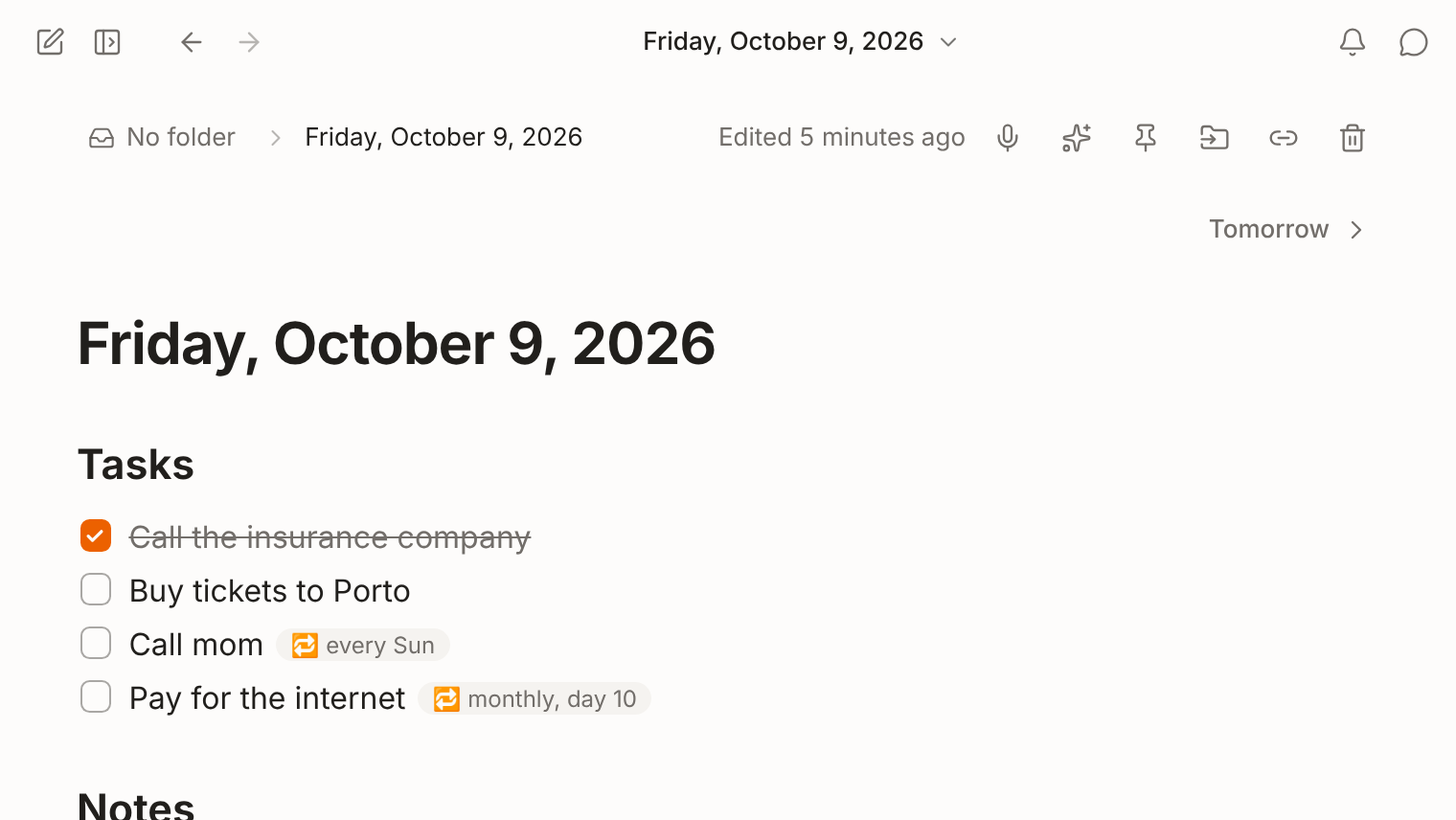
Open today. Press Ctrl+D (⌘D on a Mac) or click Today in the sidebar. If there is no note yet, FixNote creates one with a Tasks and a Notes section.
- 2
Carry over what's left. If the previous daily note has unchecked tasks, FixNote offers to Move here. Nothing moves until you click.
- 3
Set up recurring tasks. Right-click a task and choose Repeat…. It can come back every day, on weekdays, on chosen days of the week, on a day of the month or every few days.
How to keep a daily note
Press Ctrl+D (⌘D on a Mac) or click Today in the sidebar. The Ctrl+K search also has an “Open today’s note” command. Shortcuts follow the physical key, so they work in any keyboard layout. A new daily note starts with the date as its title and two sections: Tasks, with an empty checkbox, and Notes for everything else.
A task is a line that starts with - [ ], and a click checks it off. Buttons in the note take you to the previous and next day. On the home screen, the Type filter set to Daily notes shows only these pages.
To make a task repeat, right-click it and choose Repeat…. The option appears in daily notes only. The rule is stored in the line:
- [ ] Call mom 🔁 weekly:sunWhenever FixNote creates a note for a new date, it adds the tasks due that day. Change the rule in the latest note that has the task and daily notes already made for later dates follow the new rule.
When it helps
Write your three main things in the morning. In the evening there is nothing to sort out: tomorrow FixNote offers to bring the unfinished ones over with one click. Regular chores like paying the internet bill on the 15th or watering the plants every three days only need to be set up once.
A daily note also works as a log for call notes, order numbers and thoughts on the go. A month later, search and the assistant find what you wrote about a project across all those days at once. Turn on “Voice notes go to today’s note” and it becomes an inbox for everything you dictate.
When another tool fits better
Tasks in FixNote have no timed reminders, assignees or phone notifications. If you depend on those, use a task manager such as Todoist and keep the context in FixNote: notes behind tasks, meeting outcomes, decisions. If you are used to daily notes in Obsidian with templates and plugins, the comparison with Obsidian shows what FixNote does without any plugins.
Privacy notes
Daily notes live on your device like every other note and work without an account or a connection. The repeat rule is written into the task line itself, so with Pro it syncs with the note, encrypted on the device. Read the privacy policy.
Questions
- What happens if I skip a few days?
- No notes are created for the days you missed. When you open today's note, FixNote offers to move the unfinished tasks from the last daily note you had.
- Can I open tomorrow's note in advance?
- Yes. The buttons in a daily note step to the previous and next day, tomorrow included, and recurring tasks due that day appear there too.
- How do I stop a recurring task?
- Open the latest note that has the task and pick Don’t repeat under Repeat…, or delete the 🔁 from the line. Later days stop getting it.
- Can dictation or Telegram messages go straight into the daily note?
- Yes. “Voice notes go to today’s note” in Settings → General adds dictation to today's page. “Messages go to today’s note” in Settings → Integrations does the same for the Telegram bot, which is a Pro feature.
- What if two devices made a note for the same date?
- Sync merges them into one. Entries from both are kept and identical tasks appear once.
Try FixNote
Free, no account needed: Windows, macOS and the web.